

How Does a Telegram Bot Work?
A Telegram bot is a special program that runs within the messenger. It receives messages from users, processes them, and responds based on a predefined script.
Chatbots operate through the Telegram Bot API, a special interface for developers. The API allows chatbots to receive messages, send responses, create buttons, and perform various actions.
Types of Telegram Bots
Before learning how to create a Telegram bot, let’s explore the different types. It can serve many purposes. Here are the most common types:
- Informational – Send news, weather forecasts, or currency exchange rates.
- Service – Help order food, find tickets, or check transportation schedules.
- Entertainment – Provide quizzes, jokes, or music.
- Business – Automate customer support, assist with bookings, or process payments.
There are also personal chatbots. For example, a chatbot can remind you of important tasks or help you manage a shopping list.
What Do You Need to Create a Telegram Bot?
Want to learn how to create a Telegram bot? Get ready to try it yourself. Here’s what you’ll need:
- A Telegram account – essential for creating.
- @BotFather – helps you create new chatbots.
- An access token – a special key provided by @BotFather, allowing your code to control the chatbot.
If you want your chatbot to run 24/7, you might need a server or hosting (e.g., Heroku, AWS, or VPS). But if you're just learning how to create a Telegram chatbot, hosting isn’t necessary yet.
Once you have everything, you're ready to start creating your chatbot. Let’s move on to the step-by-step instructions.
Step-By-Step Guide: How to Create a Telegram Bot
We begin by registering the chatbot. Open Telegram and search for @BotFather. Click the Start button in the upper right corner.
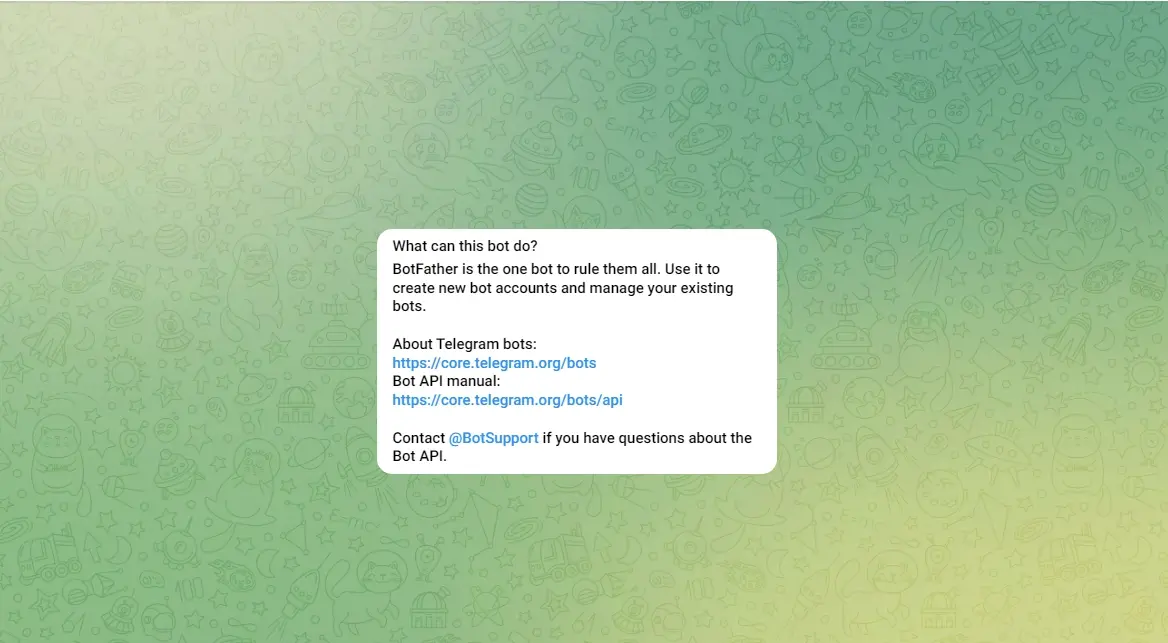
Type the command /newbot or select it from @BotFather’s menu. Enter your chatbot’s name (e.g., MyFirstBot).
Choose a unique username (it must end in “bot,” e.g., my_first_bot). You may need to try a few times if your chosen name is already taken.
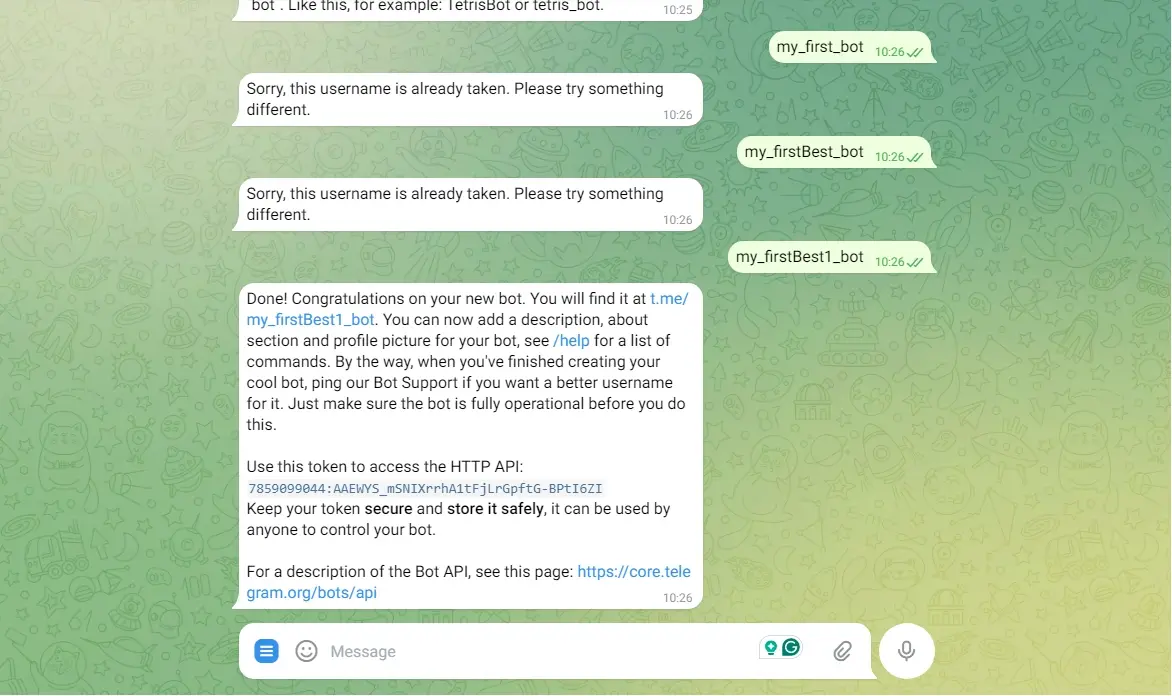
@BotFather will send you an access token – save it! Your chatbot is now created, but it doesn’t do anything yet.
Setting Up Your Telegram Bot
Now that you know how to create a Telegram bot, it's time to configure it. To help users understand what your chatbot does, set up its description. In the chat with @BotFather, enter: /setdescription Then, select your chatbot and enter a description, such as: "This bot will help you get real-time weather updates and useful information." This description will appear in the chatbot’s profile.
To make your chatbot look more professional, add an avatar:
- Type /setuserpic in @BotFather.
- Select your chatbot.
- Upload a square image.
You can also create a command list to make it easier for users to interact with your chatbot. In @BotFather, enter: /setcommands
Then, provide commands in this format:
- start - Start the bot
- help - Help and list of commands
- info - Information about the chatbot
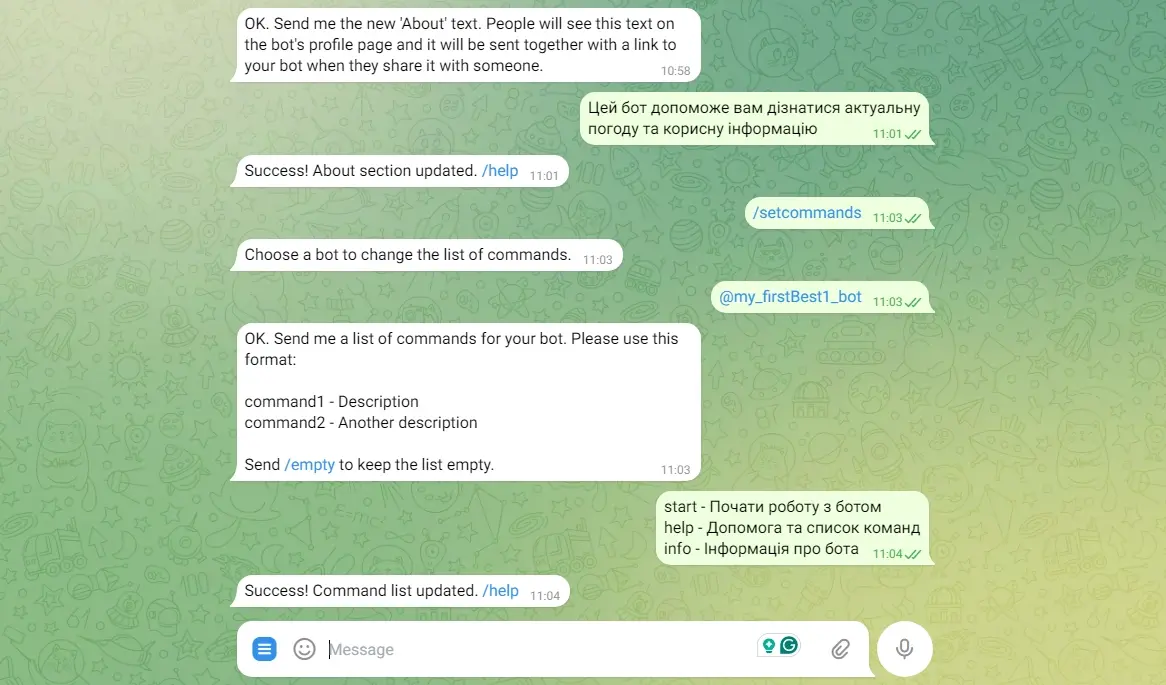
Now, these commands will appear in the menu. That’s it! We now have a basic Telegram bot.
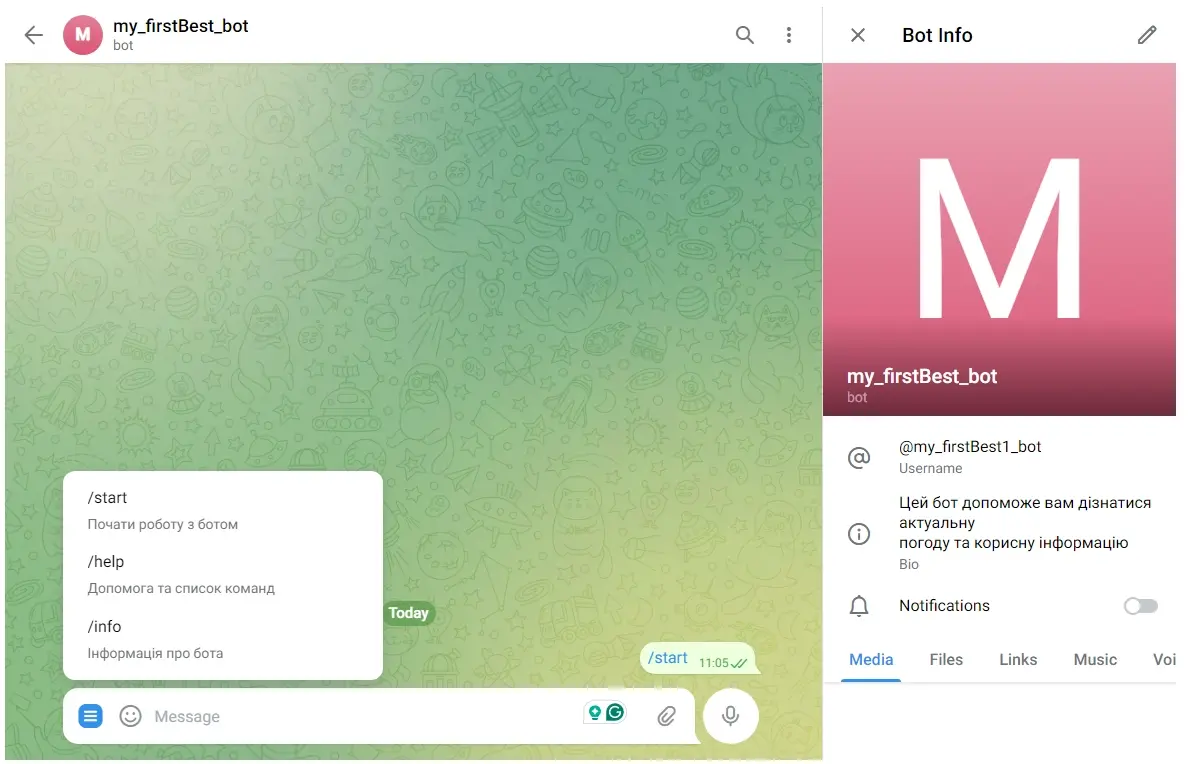
To expand its capabilities, you can use the built-in "Business" feature, which allows you to set up automatic responses. Additionally, third-party platforms let you build custom Telegram bots.
How to Create a Telegram Bot – Video
Still have questions? Watch this video on how to create a Telegram bot:
Conclusion
Now you know what a Telegram bot is and how to create one. We covered the basics, step-by-step setup, and additional features.
What’s Next?
- Integrate with APIs (e.g., weather updates or currency exchange rates).
- Set up a webhook for stable performance.
- Use AI for more advanced responses.
Telegram bots can handle many tasks – from automating businesses to entertainment. So, start experimenting!