Trezor – Main Features
Hardware crypto wallets are designed to enhance the protection of users' crypto assets. Trezor is a cold storage device that doesn't maintain a constant internet connection, so it’s safe from hackers. This is a physical device with a screen and buttons, making it convenient and easy to use.
The wallet isn’t just for storing crypto. It also allows you to send and receive coins, and exchange them. Trezor was developed by SatoshiLabs and hit the market back in 2014. It was the first hardware wallet and continues to hold a leading position today.
The modern wallet easily integrates with popular exchanges and apps, such as Electrum, Liskish Wallet, MyEtherwallet, Metamask, Bitpay, and many others. For maximum protection, it uses a PIN code, recovery phrase, U2F authentication, and more. The company currently offers several main models – the original One, the more advanced Model T, and the Safe series. All models support a wide range of cryptocurrencies and asset management apps.
Recommend that you also read: What is the Time Value of Money (TVM)? How to Determine the Time Value of Money?
How to Set Up Trezor for the First Time
Trezor Wallet is set up in a few simple steps:
- Insert the Trezor wallet's wire into the USB port of your laptop. When you hear a slight click, go to the official device page in your browser. This information will also be shown on the device itself. Choose your wallet model.
- Download and install the Trezor Bridge software. This will simplify the connection to your PC. Once the installation is complete, wait for the software to detect your crypto wallet.
- Download the latest firmware version. All prompts can be seen on the device's screen.
- Generate a new wallet on your computer. To create a crypto wallet, click "Create Wallet." You can start using it immediately, but as a precaution, perform one more step.
- Create a backup. This will take 3 minutes. During this time, prepare a piece of paper and a pen. You will need to write down 24 English words (the seed phrase) necessary to restore access to the wallet in case you lose it.
- Give your device a name. Now it’s your friend who stores your crypto.
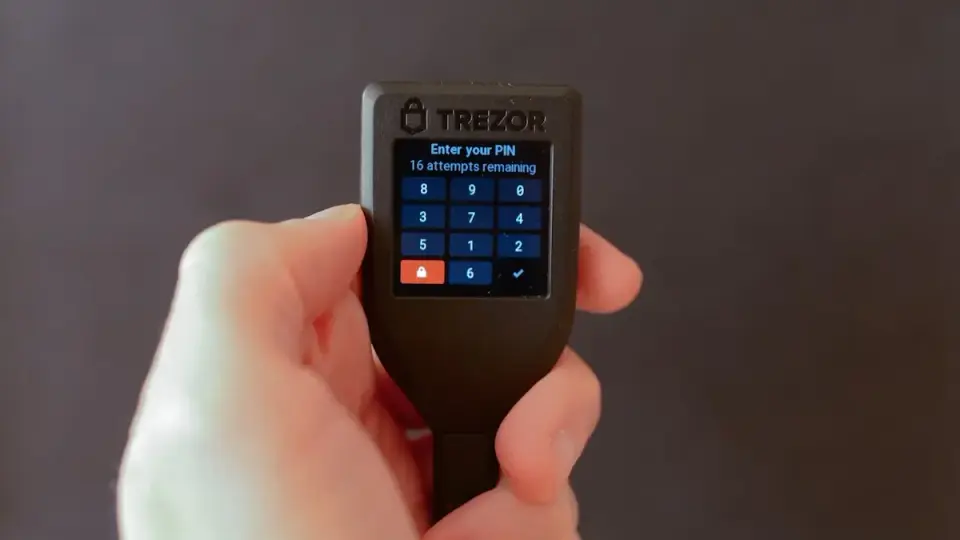
- Set a PIN code. This is needed for authorization to keep everything confidential.
Important! The sequence of words in the recovery phrase is extremely important! You will only have two opportunities to write down these 24 words for recovery. After that, you won’t be able to do it again. Be very careful!
How to Use the Trezor Wallet
One of the advantages of Trezor is its intuitive usability. It’s very easy to use:
- To receive cryptocurrencies, go to the "Receive" tab on your computer. There, you will see the address of the crypto wallet where funds from another person will be sent. For security reasons, the wallet address is partially hidden. Compare it with the address on the device’s screen, confirm, copy, and send it to the person who needs to transfer crypto to you. As soon as the payment arrives, the addresses are mixed again for security purposes.
- To send cryptocurrency, go to the "Send" section. In the "Address" field, enter the recipient's address or use a QR code, specify the amount, the transaction fee, write a comment if needed, and click "Send." After confirmation on the physical wallet, your transaction will be sent.
- For exchanges, go to the "Exchange" tab, select the currencies, and confirm the transaction.
Precautions When Using Trezor
Trezor hardware wallets are inherently secure. However, users themselves can compromise their funds. Common causes of money loss include carelessness, downloading phishing apps, and entering PIN codes on fake scam websites.
Before filling out any authorization forms, check the security of the connection to the wallet site. Also, verify that the resource address matches the official service address. Do not download suspicious additional wallets, services, or apps for cryptocurrencies. These are often harmful programs that simply steal crypto from wallets.
It’s best to create crypto transactions in offline mode, i.e., without an internet connection. This way, you completely block fraudsters' opportunities to steal confidential data and hack the Trezor wallet.

Pros and Cons of the Trezor Wallet
The Trezor hardware crypto wallet has several undeniable advantages, such as:
- Cryptocurrencies are stored offline in the hardware wallet, completely eliminating the risk of targeted hacking by hackers.
- The highest level of digital security.
- Numerous features for businesspeople, traders, and developers.
- Fast and polite customer support.
- Advanced customization options tailored to the user’s device preferences.
- The ability to withdraw tokens at any time to any available payment system.
- Low commission when exchanging one cryptocurrency for another.
- High level of security during authorization. The wallet uses a PIN code and 24 words to restore the wallet in case of loss or theft.
- Discreet storage of funds, as Trezor is small and doesn’t attract the attention of thieves. It’s not a gold bar, securities, or luxury items.
- No limitations. The wallet is unlimited, with no caps on deposits, withdrawals, or crypto balances.
Are there any cons to the Trezor wallet? Yes, users note several drawbacks:
- Without a hardware wallet, access to the crypto exchange is closed.
- Not all currencies, and not in all models, can be purchased with fiat.
- Relatively high cost.
Trezor Crypto Wallet Overview – Video
To learn more about how the Trezor crypto wallet works and is set up, watch the video:
Conclusion
The Trezor crypto wallet is a convenient and secure solution for storing your cryptocurrencies. It’s highly protected from hacking and doesn’t attract ordinary thieves with its appearance. Despite some drawbacks, it’s one of the best options for storing crypto.